D23 unleashed A TON of information last week for what to expect for the upcoming 2026 D23: The Ultimate Disney Fan Event (formerly the D23 Expo) this year and if you’re looking to get tickets to what promises to be another sell-out year, you’ll want to fully understand the ticketing process.
This guide will give you all the information you need to know to secure yourself the best seats and tickets. The information presented below is courtesy of D23 and is reposted from the official site.
When to Buy Tickets
Pre-sale information as well as ticket pricing details can be found in posting below including — discounts available for Gold Members. Here’s a quick rundown on ticketing schedule for this year’s event:
D23 Gold Charter Members
- Tues, March 31, at 10 am PT / 1 pm ET
- For current D23 Gold Charter Members during an exclusive 24-hour window.
D23 Gold Members (full plans)
- Thurs, April 2, at 10 am PT / 1 pm ET.
- A priority purchase window for D23 Gold Members on Essential, Choice, and Complete plans.
D23 Gold Members (limited plans)
- Thurs, April 2, at 12 pm PT / 3 pm ET
- All other D23 Gold Members will be able to join the queue in the final window
MORE INFO: CONFIRMED: Tickets for 2026 D23 begin as early as Mar. 31 — NO general sale

Where to Buy Tickets
Below is the direct path to the store to buy tickets for 2026 D23 – The Ultimate Disney Fan Event! If the below link doesn’t work, simply visit the official D23 event homepage, find the ticketing section, and click JOIN QUEUE!
How to Buy Tickets
New this year, tickets sales are available exclusively to D23 Gold Members. The account used to purchase tickets must match the account associated with your active D23 Gold Membership. To sign, up you can visit JoinD23.com.
Verifying Membership
1. Click Log In to login using your D23 Gold Member account. General Members are not eligible for this sale.
- NOTE: If you’ve never purchased tickets for any D23 event before, after signing in, you’ll be asked to verify your email on this screen. Go to the inbox of the e-mail that is associated to your Gold Member Account and click the verification link to connect your account. Check your spam if you don’t see it in your inbox. The subject of the e-mail is “Confirm account connection.”

If you’re not signed in with an eligible Gold Member account, you’ll be presented with the below message. You can click “Refresh page” to join the queue once your purchase window begins.

Virtual Queue / Countdown Page
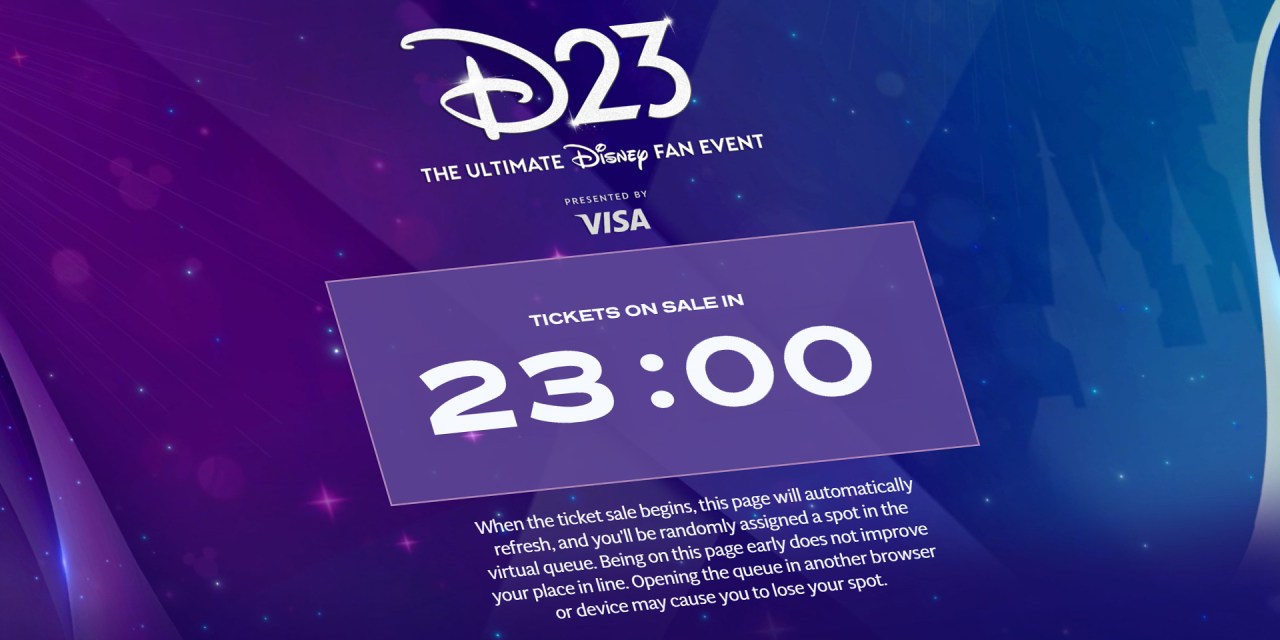
2. The countdown page will open to eligible D23 Gold Members 24 hours in advance of the ticket on-sale.
- The countdown page will open to these eligible D23 Gold Members 24 hours in advance of the ticket on-sale. When the ticket sale begins, the countdown page will automatically refresh, and you’ll be randomly assigned a spot in the virtual queue.
- Once the ticketing queue begins, please keep the queue page open to maintain your place in line. Opening the queue in another browser or device may cause you to lose your spot.

3. When the ticket sale begins, the countdown page will automatically refresh, and you’ll be randomly assigned a spot in the virtual queue.
- Being on the countdown page early does not improve your place in line.
- Please keep this window open to maintain your place in line. Opening the queue in another browser or device may cause you to lose your spot.
- Due to high demand, wait times may exceed one (1) hour. When it is your turn, you will have 10 minutes to complete your ticket purchase.

Purchasing Tickets
4. Once it is your turn to purchase tickets, you’ll be presented with several available ticket options. You will have 10 minutes to complete your transaction (timer and CART are at the top right of the screen.) Clicking CLEAR YOUR CART at any time will reset the 10-minute timer.

5. Click GET TICKETS for the ticket type you’re interested in selecting tickets for.

Ticket Options
NOTE: Only certain sections may be available for the ticket type you choose. Here’s an overview of the ticket options.
3-Day D23 Ultimate Preferred Fan Pass Ticket
- Includes a 3-day floor seat for shows at the Honda Center (same seat each day) and 3-day access to all experiences at the Anaheim Convention Center.
- New this year—the D23 Ultimate Preferred Fan Pass includes special RSP access to select limited-edition pins, giving you the chance to secure sought-after pin releases for the event.
- Note: Preferred tickets will be available under the “3-Day D23 Ultimate Fan Pass” ticket type and noted on the Honda Center seating.
- Seats available in: Sections 101, 102, 103, 104, 105, 106, 107, 109, 110, 111, 112
3-Day D23 Ultimate Fan Pass Ticket
- Includes a 3-day seat for shows at the Honda Center (same seat each day) and 3-day access to all experiences at the Anaheim Convention Center.
- Seats available in: Sections 208, 209, 221, 224, 401, 404, 406, 408, 410, 434, 436, 438, 440, 442
D23 Ultimate Fan Pass 1-Day Ticket (Friday, Saturday, or Sunday)
- Includes a reserved seat for shows at the Honda Center and same-day access to all experiences & shopping at the Anaheim Convention Center.
- Seats available in: Sections 202, 203, 204, 205, 206, 210, 220, 222, 225, 226, 227, 228, 402, 403, 405, 407, 409, 411, 412, 413, 432, 433, 435, 437, 439, 441, 443
D23 Fan Pass Ticket
- Includes access to all experiences & shopping at the Anaheim Convention Center ONLY.
D23 Fan Pass – Afternoon Only Ticket
- Includes 1-day access to all experiences & shopping at the Anaheim Convention Center ONLY, with entry starting at the times below:
- Friday, August 14: Entry starting at 4 p.m.
- Saturday, August 15: Entry starting at 4 p.m.
- Sunday, August 16: Entry starting at 4 p.m.
- Please note that D23 Fan Pass – Afternoon Only Tickets will not be permitted to participate in RSP (Random Selection Process) reservation selection for panels and experiences at the Anaheim Convention Center.
Accessible Seats at Honda Center
- Disney has an unwavering commitment to providing a welcoming, inclusive environment and accessible experiences for our Guests. At the event, Disney will once again offer several tools and resources—including accessible seating options, sign language interpretation, CART services, assisted listening, and more.
- Please note that early entry to D23 venues is not permitted. Companion Seating is available next to all accessible seats.
- NOTE: For Semi-Ambulatory Seating in the 400 Level, it’s two (2) steps to the seat, and in the 200 Level, it’s six (6) steps to the seat.
- Wheelchair/ECV Accessible Spaces available in: Sections 104, 105, 106, 107, 109, 110, 111, 112, 203, 204, 226, 227, 403, 405, 407, 438, 440, 442
- Semi-Ambulatory Seating available in: Sections 202, 203, 204, 205, 206, 207, 208, 209, 221, 222, 223, 224, 225, 226, 227, 228, 404, 406, 408, 410, 411, 412, 433, 434, 435, 437, 439, 441
- Compact Wheelchair Accessible Spaces available in: Sections 409 & 436
- Wheelchair/ECV Transfer Seating available in: Sections 104, 106, 107, 109, 110, 112
- CART Services & ASL Interpretation Viewing Seating available in: Sections 110 & 202
- Please note: For all Accessible Seats, you will be required to submit a self-attestation that acknowledges that you are in need of those seats. Seating is limited, so please reserve these seats for guests who are in need.
- You can filter for Accessible Seats by clicking on the icon in the upper left of the seating chart map and selecting the desired filter. This will highlight the seats in the Honda Center that feature that accommodation. You can also hover your cursor over the section to view available Accessible Seats.

Selecting Seats
6. Click SELECT SEATS to move to choose your own seats, or choose FIND BEST AVAILABLE to have the system automatically select the closest possible seat (including accessible seating options) to center stage in the section of your choice.

7. After choosing SELECT SEATS, you’ll be presented with the Honda Center seating chart. Click on the section you would like to select seats for.

8. Once you have clicked the section you’d like to choose seats for, you’ll be presented with available seats in that section (available seats are represented by colored circles).

9. Clicking on the seats you choose will turn that seat color yellow and will add them to your cart. (Note: If you change your mind and want to select a different seat, click the “x” to the right of the seat in your list to remove seats from your cart.) Once you’re done selecting your seats, click ADD TO CART.

Checking Out
10. Click CHECKOUT to finish your transaction and check out, or click CONTINUE SHOPPING to add more tickets for another event day.

11. If you are satisfied with the seats in your CART SUMMARY, enter all required information to check out and complete your transaction.

See it for Yourself
D23: The Ultimate Disney Fan Event takes place in Anaheim from August 14 – 16, 2026.
MORE INFO: Check out all MouseInfo coverage for D23: The Ultimate Disney Fan Event at MouseInfo.com/D23
But Wait, There’s More!
Get the latest updates and coverage across our MouseInfo accounts on TikTok, Twitter, YouTube, Instagram, Threads, Facebook, and BlueSky!